
.png)


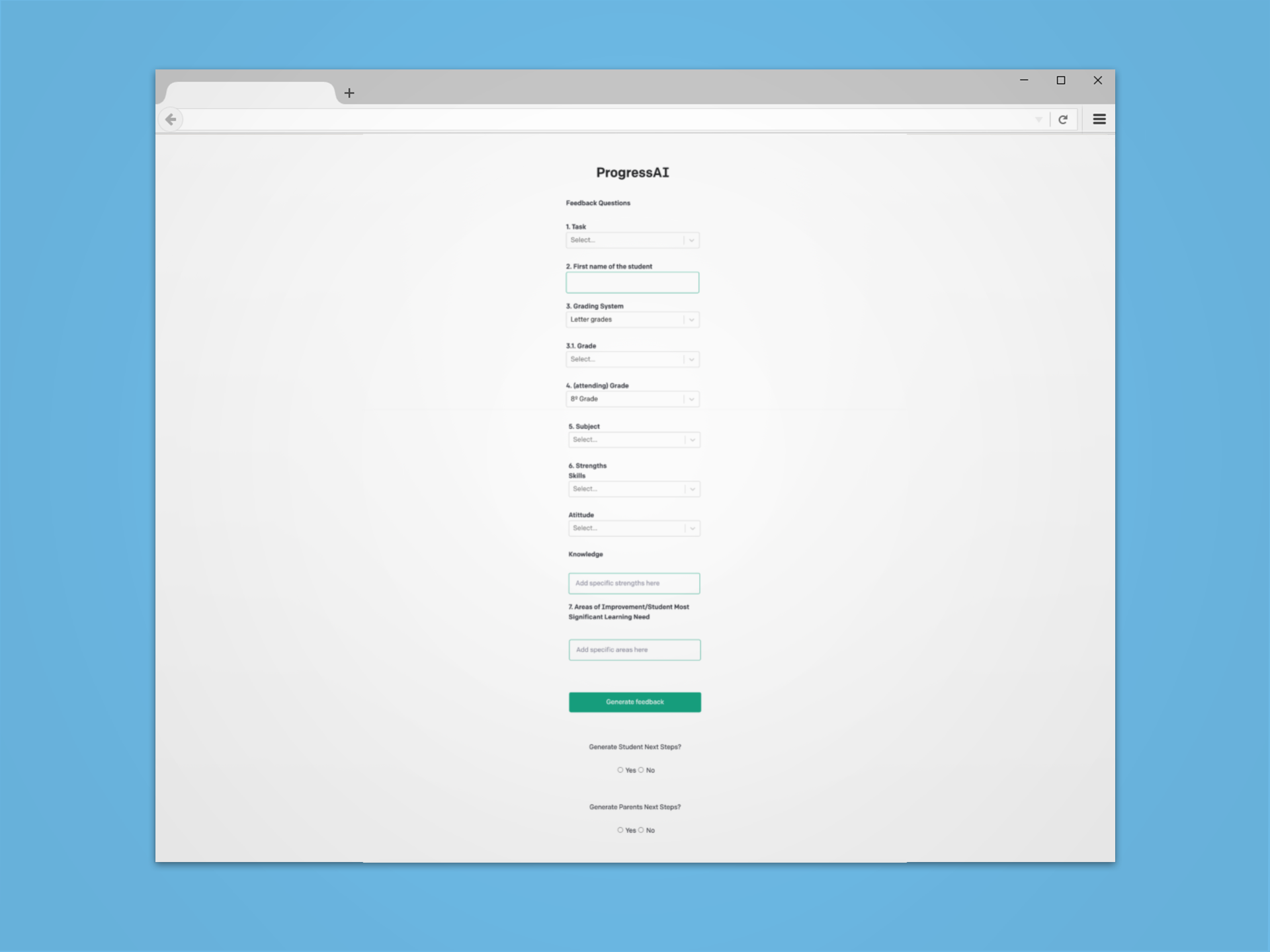
During my time at ProgressAI, as the sole UX/UI Designer on the team at the time I had the opportunity to make the companies ideas into reality. I was tasked with taking their existing form like report card generating product and enhancing its usability, functionality and design. The target audience for this product was teachers, and Progress wanted to be able to elevate their product to be easy to use and act as a tool that teachers could use to develop comments for every student in all of their classes. Using Figma, I began with taking their existing form-like report card generating tool and made it look like a form with hierarchy displaying fields and an end result. After the form aspect was sound, I proposed a dashboard like feel, that would take you through the tool while also being able to view past comments generated for students. From here, myself and various members on the team went back and fourth ideating and developing paper low fidelity mockups dictating the flow and features that the ProgressAI dashboard would contain. During my time at Progress, I developed various ideas to propose to my supervisors and developers, an example of this is an app integration of the report card generating tool that could be integrated in the future. To finish, for my last project I designed the paper low fidelity mockups in Figma along with comments and sections to help developers understand thought process and the overall flow of the product. This final mockup of version 1 of the product included a sign in/sign up page, a working dashboard, a class/student list section, a share feature that enables users to share and export comments, and account settings.
The following link is a youtube walkthrough of version 1 of the report card generating tool, that I developed in Figma and was then sent off to developers.
Further, below you will find a gallery displaying different stages of the development process. Starting from a to a mock sign in/sign up page, to their first iteration, to individual mockups from the final dashboard that displays the drastic change in the usability, functionality, accessibility, and look and feel of their product.
I am also responsible for creating their first ever website using Webflow. Although the site was subjected to a lot of change after I had left the company, as importing code into Webflow tends to mess around with the front end design. Link to ProgressAI's current site can be found below.
https://www.makeprogressai.ca/
Samples of all projects are available upon request.
.jpg)
.png)
.png)
.png)
.png)
.png)